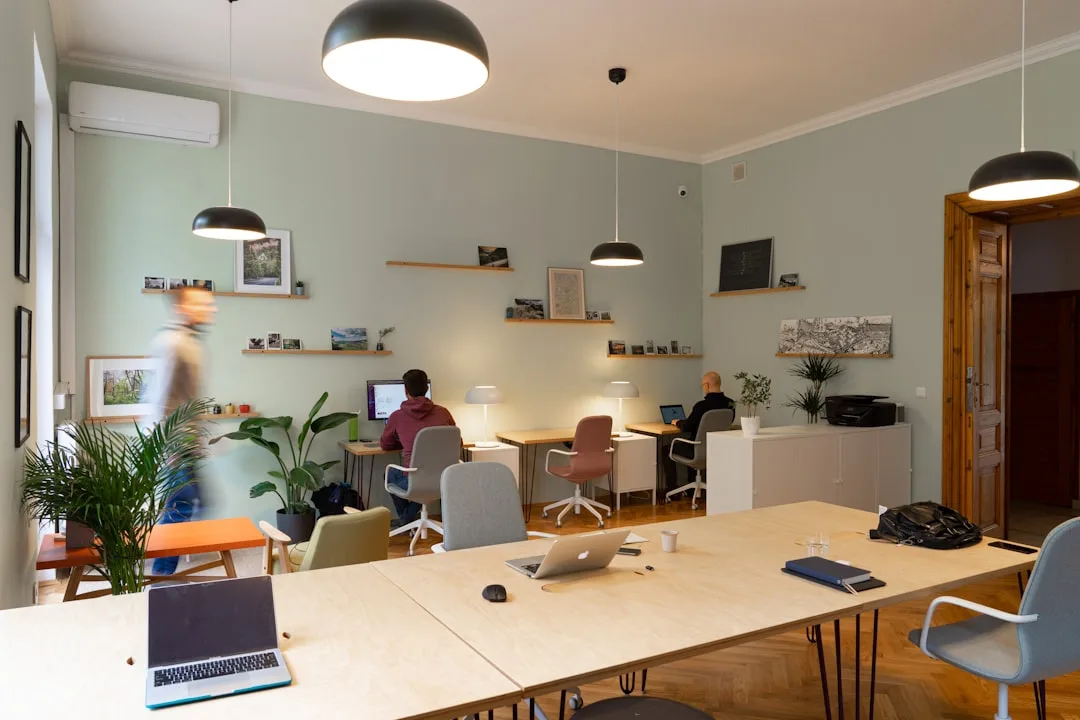
Planning a Workation - Combining Remote Work and Travel
Workation planning guide covering infrastructure setup, visa programs, timezone strategies, and budgeting for productive remote work travel.
TravelFeelings Editorial Team

A workation is not a vacation. That’s the first thing to clarify, because most guides conflate them. Vacation is disconnecting. Workation is controlled geographic arbitrage: you work productively from another location because the infrastructure, cost structure, or timezone makes it rational to do so.
37% of remote workers would work from another country if their employer allowed it. That figure reflects a legitimate work strategy. Here’s what decides whether your workation succeeds or whether you’re sitting in a café fighting bad Wi-Fi instead of actually working after two weeks.
What a Workation Actually Is
Workation = remote work + geographic mobility over weeks or months, not days.
Most places simply aren’t built for serious remote work, regardless of how much you want to travel. A beach café with a Wi-Fi password is not equivalent to a coworking space with redundant internet connectivity. If you’re working remotely long-term, you need infrastructure first (redundant internet, desk, power), community second (other remote workers, professional network), and logistics third (visa, cost of living, tax).
69% of remote employees actually take vacation, compared to 52% of office workers. The reason: they realize working + traveling is possible, and traveling without working gets boring after a while. That’s the core of workation.
The Infrastructure Foundation: Internet, Backup, Community
There’s only one non-negotiable element: internet redundancy.
Anyone working with a coworking space + mobile data backup creates two independent failure points. The space can be congested; the mobile SIM can be weak—but not both simultaneously if you plan it right.
That sounds abstract. In practice, it means: Before arrival, you audit:
-
Local SIM options: Which provider covers 5G or LTE? Are there prepaid plans for short-term stays? (Example: Portugal, Vodafone prepaid, $22 USD (approx. €20) for unlimited data/month.) Speedtest.net and OpenSignal show you actual download speeds.
-
Coworking availability: Not “does a space exist,” but “does it have ≥50 daily users (community signal) or is it a 300-person ghost space with Wi-Fi guests?” The nomad community favors smaller spaces because that’s where networking happens. A 40-person space is not the same as a 200-person space.
-
Fiber or mobile fallback: Fiber internet (>100 Mbps) with 4G backup is the standard configuration. Lisbon hits 166–176 Mbps (stable). Tbilisi varies more (common misconception: people assume Georgia is cheap and therefore flaky — not true. Internet is as stable as Portugal if you pick the right provider.)
But here’s where the math matters: The global coworking market hit $14.07 billion USD in 2025 and grows at 19.1% annually. This is an infrastructure industry now, run at professional scale. There are roughly 44,000 coworking spaces globally, most of them reliable.
Timezone Strategy: Async or Sync?
This is the next critical factor most people underestimate.
Timezone difference greater than eight hours destroys synchronous meetings. It’s a hard physical constraint. If your team is in Berlin (UTC+1/+2) and you’re in Chiang Mai (UTC+7), your mornings are your team’s nights. It only works if your team operates asynchronously: tickets, documentation, code review without real-time meetings.
If your job requires synchronous meetings, only these zones work:
- Similar timezone: Berlin to Lisbon (UTC+0/+1) = zero offset. Barcelona, Tbilisi work too.
- US-focused: Medellín (UTC-5) matches US Eastern Time perfectly. Dubai (UTC+4) matches US Pacific with a 12h offset, but async becomes mandatory.
- Asian teams: Only if your team is remote-first and async. Bangkok (UTC+7) vs. Berlin is a 6–7h offset you can manage with core hours. Elsewhere: async is non-optional.
But here’s where it gets complex: A common misconception is conflating “remote-first” with “async.” Remote-first can also mean: we have three synchronous team calls per week; everything else is async. That works from Portugal; it breaks down in Southeast Asia.
Your first question before workation planning: How many synchronous hours per week do I absolutely need? The answer drives 80% of destination choice.
Top Destinations: What the Data Shows
The fastest-growing coworking markets in 2026 are Lisbon, Bali, Mexico City, and Medellín. That reflects how well they combine infrastructure, community, and visa-friendliness.
- Timezone: UTC+0/+1 (perfect for Europe-based teams)
- Internet: 166–176 Mbps fiber (stable)
- Monthly budget: $1,415–$1,856 USD (rent, coworking, food; winter is cheaper)
- Visa: D7 visa (pension visa, but also for remote workers, requires ~$1,185 USD monthly passive income), or tourist visa + remote work
- Coworking: Second Home Lisboa, Selina, Heden; strong community effect
- Reality: Lisbon isn’t a secret anymore. Prices have climbed. 2019 was $950/month; 2026 is $1,415–$1,856 (inflation + demand). But infrastructure justifies cost.
Medellín, Colombia
- Timezone: UTC-5 (perfect for US Eastern Time)
- Internet: stable in main neighborhoods (Comuna 13, Poblado)
- Monthly budget: $1,185–$1,670 USD (rent, coworking, food)
- Visa: Colombian Digital Nomad Visa (2 years; requires ~$750/month USD income proof)
- Coworking: Casa Kiwi, Selina, Nómada; high community quality
- Reality: Medellín stays cheaper and the Digital Nomad Visa is simplest to obtain (except Uruguay; see below). Challenge: cultural integration requires Spanish basics or patience.
Chiang Mai, Thailand
- Timezone: UTC+7 (only viable if team is async)
- Internet: variable, 50–100 Mbps (True provider is better than AIS)
- Monthly budget: $950–$1,415 USD (very cheap)
- Visa: Thailand Elite Visa (5 or 20 years, ~$17,700 USD upfront) or tourist visa + visa runs (30/60 days)
- Coworking: Punspace, Punmate, Hubba; large but Western-nomad-centric community
- Reality: Attraction is price. But timezone only works for US workers or fully async teams. Reality check: long-term Thailand work requires financial compliance (Germany has a six-month residency rule triggering tax obligations).
Tbilisi, Georgia
- Timezone: UTC+4 (between Europe and Asia; async works for both)
- Internet: 80–150 Mbps (variable, stable if you pick the right provider)
- Monthly budget: $830–$1,070 USD (rent, coworking, food)
- Visa: 365 days visa-free (for students), 90 days for others
- Coworking: 1971 Lofts, Dip Garage; small, high-quality community
- Reality: Tbilisi is the sleeper choice for cost-conscious workers who won’t compromise infrastructure. Common misconception: “Georgia is cheap, so it’s unstable” — not true. Safety is comparable to Portugal, and the internet is more reliable than most expect.
Visa Programs: What’s Practical in 2026
Over 60 countries offer Digital Nomad Visas. Here’s the practical breakdown:
- Fastest processing: Greece (up to 10 days)
- Lowest requirements: Uruguay (no minimum income; entirely online)
- Cheapest: Mauritius (completely free, just prove external employment)
- Best tax advantage: Croatia (digital nomad tax exemption), Barbados (0% income tax on foreign earnings)
- Longest validity: Spain (initially 3 years, then 2 years renewable)
- Best for US workers: Colombia (UTC-5 match, affordable visa)
Critical note: Many workers focus on visa availability and overlook home tax obligations — that’s the real risk. If you’re Germany-registered and work >183 days outside Germany, you must declare it. Most people work abroad for years without updating registration. That’s a real compliance risk.
Financial Planning: The Hidden Costs
The cost that surprises people is redundancy.
If you’re in a coworking space for $240 USD/month and your local SIM costs $24 USD/month, redundant internet costs you $264 USD. That’s rational if your income depends on it. Many remote workers underestimate this and pick locations on rent alone, when productivity should drive the decision.
Here’s the real budget breakdown:
Lisbon, 3 months:
- Rent (Airbnb, central): $1,070/month = $3,210
- Coworking (monthly membership): $175–$240/month = $525–$720
- Food (café, restaurant, supermarket): $475–$710/month = $1,425–$2,130
- Local SIM + extras: $60/month = $180
- Flight (Berlin-Lisbon, one-way): $95–$175
- Insurance (nomad policy): $18–$30/month = $54–$90
- Total:
$6,490–$7,215 USD for 3 months ($2,163–$2,405 USD/month all-in)
Medellín, 3 months:
- Rent (Poblado): $710–$830 USD/month = $2,130–$2,490
- Coworking: $120–$175 USD/month = $360–$525
- Food: $360–$535 USD/month = $1,080–$1,605
- Local SIM: $24 USD/month = $72
- Flight (Germany-MDE, one-way): $595–$830 USD
- Insurance: $18–$24 USD/month = $54–$72
- Total:
$4,399–$5,844 USD for 3 months ($1,466–$1,948 USD/month all-in)
Savings versus Germany are real but not dramatic (Berlin rent is also $950–$1,415 USD + coworking). The real workation advantage is optimization: better timezone, community, or simply a location change for mental refresh.
Community and Network: Non-Optional
This is underestimated. A common mistake is planning workation as a solo adventure, then realizing isolation kills productivity.
43 million digital nomads globally. New coworking spaces open monthly. That means: communities exist everywhere. Lisbon doesn’t have one “nomad circle”—it has ten. Medellín the same. Reddit (r/digitalnomad with verification), Nomad List (community surveys), local Slack communities, meetups—this is infrastructure now, not luxury.
But here’s the critical bit: not all spaces are equal. A 200-person space with a lunchbox cafeteria functions as an internet café. A 40-person space where people eat together on Friday and actually know each other is real community. The difference comes down to selection, and it costs nothing extra.
First month at a new location: Join the coworking space as a full member (not a day pass), attend meetups, join Slack, grab coffee with two people. Five to ten hours of effort makes the difference between isolation and network.
Tools and Productivity Setup
Your workation stack must be minimal but redundant.
Internet:
- Primary: coworking space Wi-Fi
- Backup: local SIM with unlimited data
- Fallback: VPN + mobile hotspot (for geo-blocking and additional redundancy)
Work:
- Async tools: Slack for asynchronous messages, Linear/Jira for tickets, Figma/Docs for collaborative work. That’s the standard.
- Sync meetings: Zoom/Google Meet with fixed core hours (e.g., 2–4 PM UTC = 3–5 PM Berlin, 9–11 AM US Eastern).
- Focus: Forest app (timer), Slack Do Not Disturb (scheduled), or: café noise + ANC headphones.
Physical:
- Laptop + external mouse (Magic Mouse for minimalists; MX Master 3S for ergonomics focus)
- Travel monitor (optional, but 13” laptop screen for 3+ months is painful)
- Tripod + webcam for video calls (many coworking spaces have poor lighting)
- Headphones with ANC (Active Noise Cancellation)
None of this is complicated. It just takes intentional infrastructure planned ahead of time.
Pre-Departure Checklist
Workation doesn’t work spontaneously. This checklist needs two to four weeks before departure:
Infrastructure:
- Top 3 coworking spaces in target city researched (Nomad List, Coworking Handbook, local reviews)
- Internet coverage verified (Speedtest.net, OpenSignal app, local Reddit threads)
- Mobile SIM options researched (prepaid, data allowance, price)
Work:
- Confirmed with employer/team: remote work from destination allowed?
- Timezone conflict evaluated (synchronous meetings—how many, what hours?)
- Async processes identified (where do you need real-time meetings?)
Compliance:
- Visa researched and applied if needed (processing time planning)
- Tax obligation clarified (>183 days abroad = registration requirement in home country)
- Travel insurance (nomad policy, not standard travel insurance)
- Overseas health coverage (international insurance or an expat private policy)
Finances:
- Local cost of living estimated
- Budget for coworking + internet + SIM reserved
- Bank card activated for international use; VPN whitelist if needed
Social:
- Local Slack communities found (r/digitalnomad, city groups, nomad workspaces)
- First meetup or gathering planned (for first weeks)
Workation Is a Professional Decision
Workation is a professional decision. That means infrastructure first, travel second.
Anyone systematic—internet redundancy, timezone planning, coworking selection, community involvement—can work remotely for years without productivity loss. Anyone betting on “I’ll find a nice café and work from there” will discover within two weeks that Wi-Fi passwords change and timezones break meetings.
The data are clear: 37% would do it if allowed. 76% of companies see better retention with remote options. Infrastructure (44,000 coworking spaces, 60+ visa programs) exists. The only question: do you build systematically or hope.